
Would you like to become a vendor with Daedalus Teks?
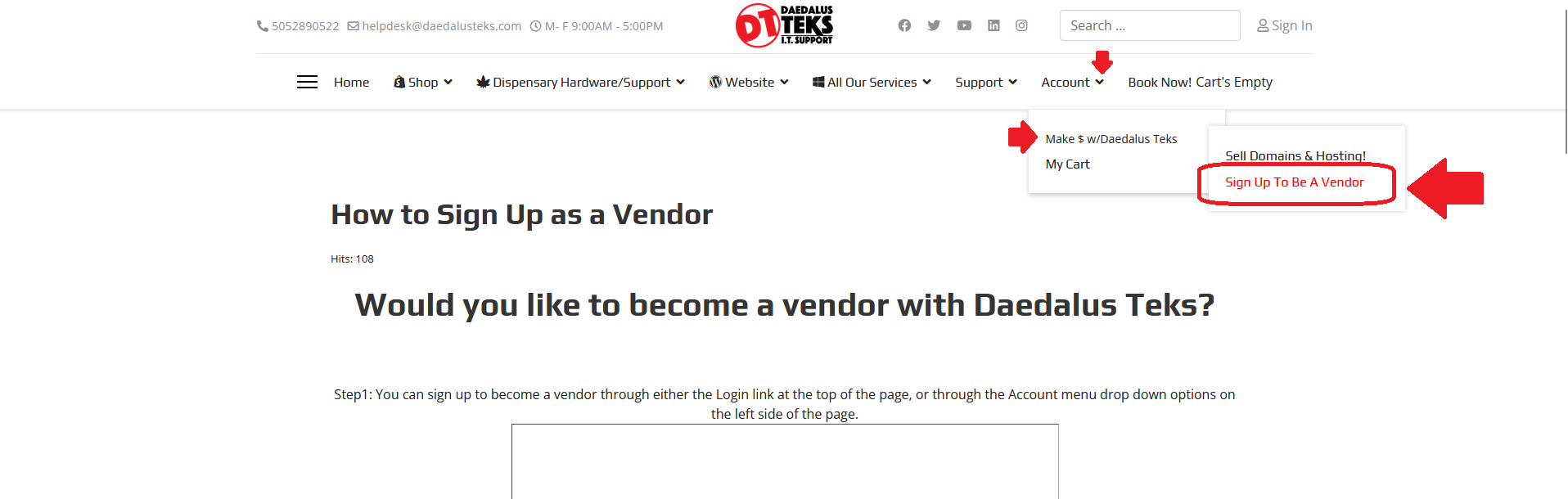
Step 2: Using the “Login” link at the top of the screen will take you to the a “Login” page. Click on the “Sign Up” link beneath the “Forgot Login?” link to start “Vendor Sign Up.”
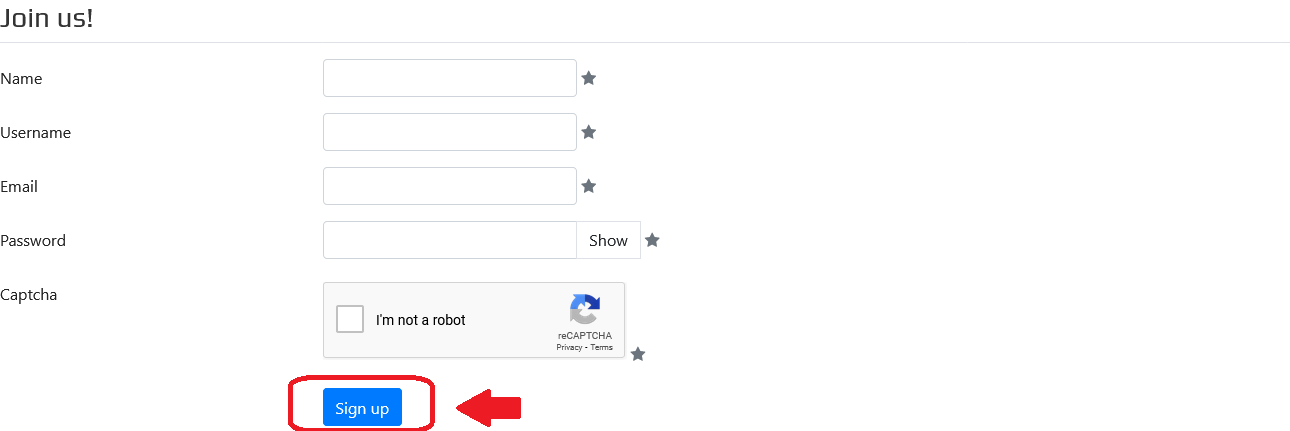
Step 5: Enter information like the Vendor’s name, their intended username, and a valid Vendor email address into the form. If the Vendor Username is available, a green check mark will be seen below the username. With valid information entered, click the “Sign Up” button in the bottom right of the page. A confirmation email with an activation link will be sent to continue the sign-up process.
*Be sure to click the activation link provided in the activation email to sign in. If you don’t see the activation email in your primary inbox, please check the junk folder.
Warning: If the vendor email or username provided is invalid or already in use, you will receive an error message stating such. Just enter your vendor information again, with a valid email or an email not already associated with a current Daedalus Teks vendor/CB account, and continue activating your account through the activation link email.
